Lockdown Mode, why you should enable it
An iOS toolkit designed for government agencies has leaked. Lockdown Mode stopped it dead in its tracks. Here's how it works and why it matters.
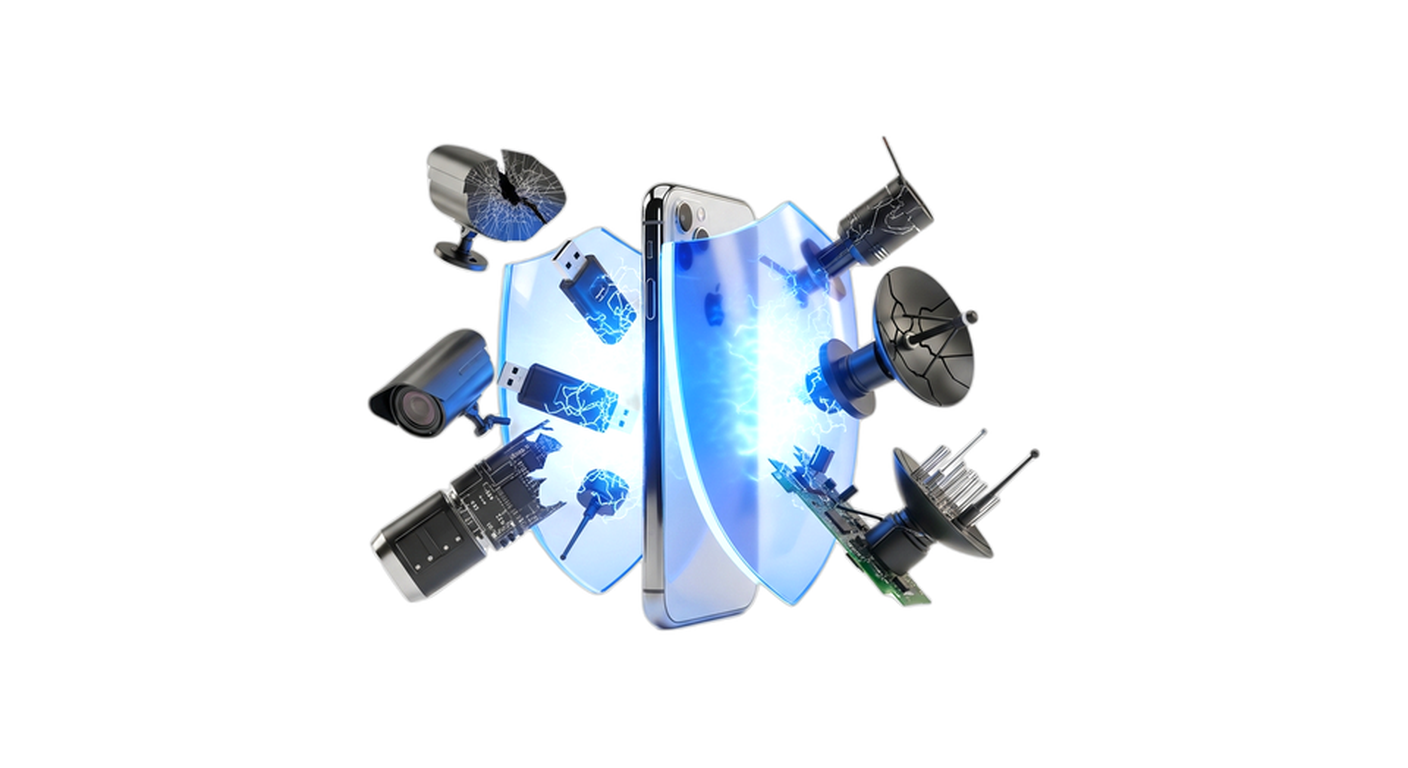
Introduction
In late March 2026, news broke about Coruna, a surveillance toolkit for iOS developed by a U.S. military subcontractor for government agencies. The problem? It had been exploited for four years before being identified. Stolen internally, resold to a Russian broker, it ended up in the hands of Russian spy groups, then Asian cybercriminals specializing in crypto fraud.
The tool exploits dozens of distinct iOS vulnerabilities spread across five full attack chains. It targets iPhones on iOS 13 to iOS 17.2.1, potentially exposing several hundred million devices.
And Lockdown Mode held up against it. The Coruna code actively checks if Lockdown Mode is enabled on the target device, and if it is, it does nothing. No attempt. No bypass. Complete abandonment.
This is concrete, verifiable information that says something important about the security philosophy behind this feature.
The Problem
When a state tool becomes a criminal tool
The story of Coruna follows a trajectory that security researchers have learned to recognize since the Shadow Brokers and the NSA tool leak in 2017: a tool designed for controlled state uses ends up proliferating far beyond its original framework.
Coruna was developed by Trenchant, the spyware and surveillance division of L3Harris, a major U.S. defense company. The tool was intended for government agencies within a strictly defined legal and operational framework.
What wasn’t planned was Peter Williams. The former general manager at Trenchant stole at least eight zero-days from the L3Harris internal system between 2022 and 2025, and sold them to Operation Zero, a Russian zero-day broker, for around $1.3 million in cryptocurrencies and luxury goods. In early 2026, he was sentenced to 87 months in federal prison.
The rest is mechanical: tools move from Trenchant to Operation Zero, from Operation Zero to Russian spy groups, and inevitably, to actors with no operational constraints.
In practical terms: the same framework that was supposed to target specific foreign adversaries ended up in 2025 in watering hole attacks against Ukrainian users (group UNC6353, identified by Google), and later on a network of fake crypto and financial sites targeting any vulnerable iPhone.
The problem that Coruna illustrates
Coruna isn’t a tool thrown together by opportunistic hackers. It’s five years of research and development, with JavaScript obfuscation techniques on four layers, and a chained exploitation of 23 distinct vulnerabilities.
So the real question isn’t whether your iPhone can be compromised. It can be, if you’re using an unpatched version without taking precautions. The real question is how to protect yourself effectively.
The Mechanism
Coruna: how it works
Coruna is what researchers call a watering hole exploit kit. You don’t need to click on a malicious link or open an attachment. You just need to visit a website hosting the malicious code, and your iPhone does the rest on its own.
The kit chains five distinct techniques:
1. WebKit RCE: a remote code execution vulnerability in Apple’s web rendering engine. This is the point of entry. The JavaScript on the site triggers a vulnerability in the WebKit JIT (Just-In-Time compilation) engine to execute arbitrary code.
2. Kernel privilege escalation: from the browser context, Coruna exploits a kernel vulnerability to gain root privileges on the system.
3. System process injection: the malicious code injects itself into legitimate iOS processes, powerd and locationd, to become invisible to common detection tools.
4. Module deployment: from this position, the kit targets over a hundred crypto wallet and exchange apps to exfiltrate private keys and recovery phrases.
5. Persistent C2 communication: communication with the command and control server passes through imagent, Apple’s Messages daemon, to blend in with normal network traffic.
This is precision work.
The response: Lockdown Mode
Lockdown Mode was launched by Apple in 2022 with iOS 16. The promise was explicit: extreme protection for users exposed to state-level threats, such as journalists, human rights defenders, political opponents, and lawyers working on sensitive cases.
The principle is simple but radical: reduce the attack surface as much as possible, even if it means breaking features.
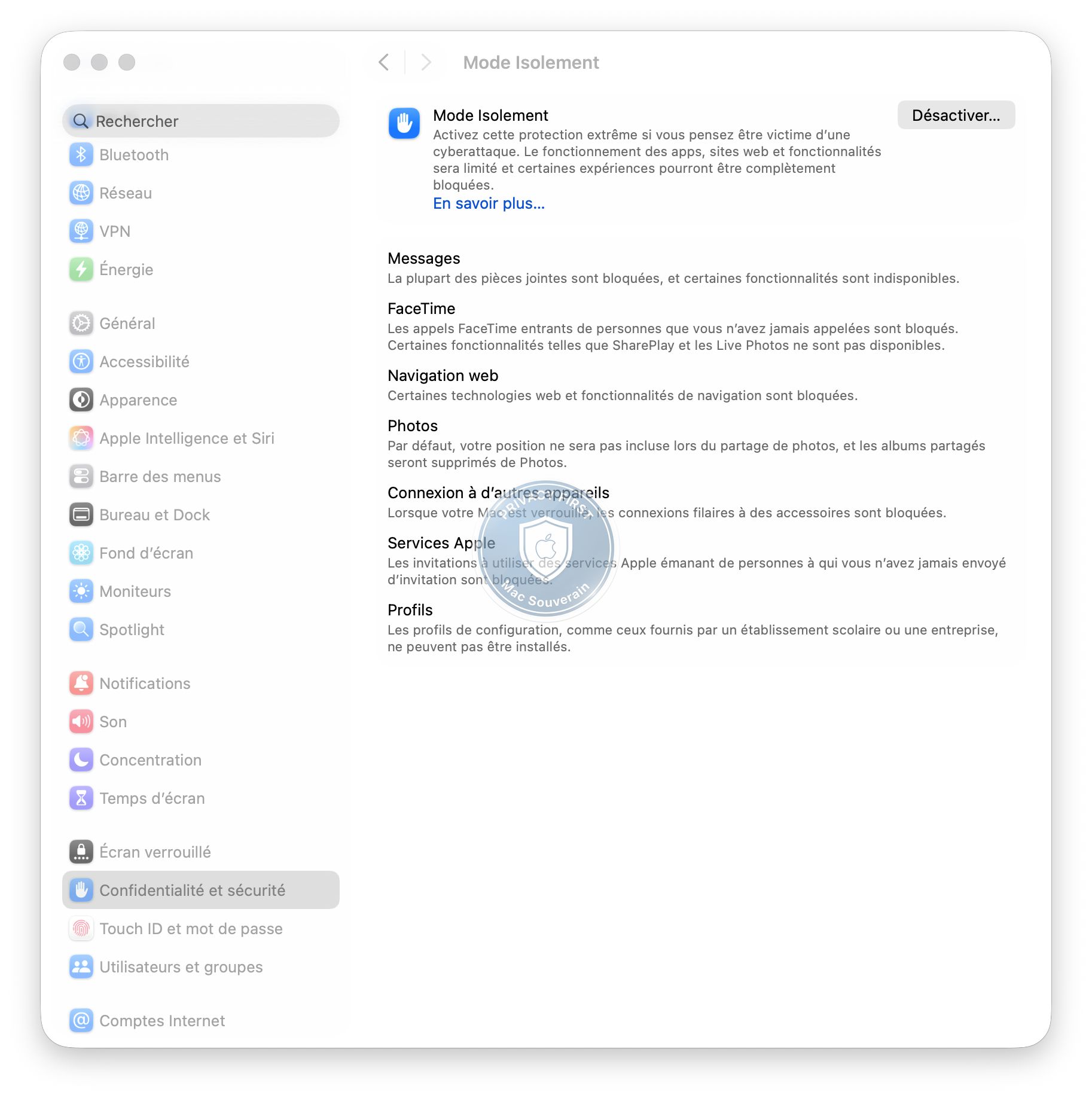
In practical terms, Lockdown Mode disables or restricts:
On the web (Safari and WebKit): the JavaScript JIT compiler is disabled. WebAssembly is disabled. Several advanced web technologies are blocked. Navigation performance drops significantly in benchmarks, sometimes up to 95%. This isn’t a bug. It’s the point.
Messaging: most attachment types are blocked. Link previews are disabled. Incoming calls from non-contacted people are blocked by default.
Networking: automatic connection to unsecured Wi-Fi networks is disabled. 2G networks, historically exploited for attacks, are blocked.
Connected devices: USB accessories require explicit approval, even if the iPhone is unlocked.
The central idea is this: if you eliminate complex parsers, disable dynamic code execution paths, and remove surfaces that aren’t strictly necessary, then most exploits have nothing to latch onto.
Coruna confirms this logic. The kit checks for Lockdown Mode via two specific probes on disabled APIs: IndexedDB and MathML. If these APIs don’t respond, Coruna concludes it’s facing a Lockdown Mode-enabled device and abandons the attack. No attempt at bypass. No Plan B. It leaves empty-handed.
Four years of zero documented compromises
Apple stated at the end of March 2026: “We are not aware of any successful mercenary spyware attack against an Apple device with Lockdown Mode enabled.”
Take this with a grain of salt, as it’s Apple talking. But the claim is independently corroborated.
Donncha Ó Cearbhaill, director of Amnesty International’s Security Lab, confirmed he “hasn’t seen any evidence of an iPhone compromised by mercenary spyware with Lockdown Mode active at the time of the attack.”
The Citizen Lab at the University of Toronto, which has been documenting spyware attacks for years, has confirmed at least two cases where Lockdown Mode actively blocked attacks: one linked to Pegasus from NSO Group, and another linked to Predator from Intellexa.
Four years. Zero documented compromises. Against government-level tools.
Who Lockdown Mode is relevant for
Investigative journalists working on sensitive topics (corruption, organized crime, authoritarian governments).
Human rights defenders operating in contexts where governments have documented the use of spyware against activists (NSO/Pegasus targeted journalists in Morocco, Saudi dissidents, Mexican opponents).
Lawyers working on confidential cases (states, corruption, money laundering, etc.).
Business leaders holding digital assets or sensitive data (cryptocurrencies, patents, client files).
Political activists in countries where the government has a history of using these types of tools against the opposition.
Lockdown Mode imposes some compromises, that’s true. Apple designed it for high-risk profiles, but individual crypto wallet holders also have an interest in activating it, given the rise of stealers targeting macOS.
An honest necessity: the daily frictions
Lockdown Mode isn’t painless. Beyond disabled Safari extensions, there are little things that end up annoying you:
- FaceTime: incoming calls from non-contacted people are blocked by default, and even some contacted people don’t get through. SharePlay and Live Photos are disabled.
- Broken display on certain sites: with WebAssembly and JavaScript JIT disabled, modern websites (cloud apps, online editors, certain dashboards) display poorly or don’t work.
- Navigation slowdowns: some complex sites take several seconds to load where they used to be instantaneous.
- Blocked configuration profiles: you can’t install an MDM profile if you need it for work.
I tested Lockdown Mode full-time for a while and ended up turning it off. Not because it’s not effective, it is. But because the frictions accumulate and it becomes annoying in daily use.
The best compromise for the majority: activate it selectively. If you’re a SME director traveling to a high-risk area (professional event, foreign travel, hotel), or connecting to a sketchy public Wi-Fi, activate Lockdown Mode just for the exposed period. Turn it off once you’re back home.
This gives you the best of both worlds: maximum protection when you really need it, comfort the rest of the time.
What the story of Coruna says about the attack surface
There’s a broader lesson in the philosophy of Lockdown Mode that Coruna illustrates: complexity is an attack surface.
The WebKit JIT compiler is a marvel of engineering. It makes navigation fast. It’s also one of the most exploited surfaces in iOS history because it executes dynamic code, which is inherently difficult to secure exhaustively.
Lockdown Mode doesn’t try to make the JIT more secure. It disables it. It’s brutal, and it costs some performance. But it’s effective.
The same logic applies to WebAssembly, attachment previews, and advanced web technologies. Each complex parser is a zone where a bug can become a point of entry.
To understand what Apple Silicon brings to this security philosophy, see Apple Silicon and security: what Secure Enclave really changes.
The Limits
What Lockdown Mode doesn’t do
Lockdown Mode isn’t a universal shield, and Apple is the first to say so.
It doesn’t protect against human errors. If you open a malicious attachment from an app outside the browser, Lockdown Mode doesn’t intervene on this attack vector.
It doesn’t protect against non-web vulnerabilities. Attacks via Bluetooth, vulnerabilities in non-covered system components, or physical vectors remain outside its perimeter.
“No documented compromises” doesn’t mean “impossible to compromise”. The nuance is important. We don’t know what we don’t know. A state actor with a functional Lockdown Mode bypass wouldn’t have any incentive to use it on targets that don’t justify exposing this capability.
It’s not retroactive. If your iPhone was already compromised before activating Lockdown Mode, it won’t disinfect anything.
Coruna and patched iOS versions
The vulnerabilities exploited by Coruna target iOS 13 to iOS 17.2.1, versions released until December 2023. Apple patched most of these flaws in later iOS 17 versions and in iOS 18.
If you’re using iOS 18.x and keeping it up to date, Coruna isn’t directly relevant to you, even without Lockdown Mode. Regularly updating iOS is the first line of defense.
For a complete overview of security and privacy settings to configure on macOS, see macOS Privacy: the settings to change immediately.
In Summary
Coruna is proof that no one is safe. A tool designed for state targets ended up on crypto phishing sites targeting individuals. The proliferation of digital weapons always follows the same path: from targeted to mass.
And it’s an entire ecosystem that’s threatened. It takes Apple years to identify and patch a vulnerability. Coruna exploited 23 simultaneously, spread over four years of iOS versions. By the time patches arrive, the damage is done.
Better to prevent than cure. Lockdown Mode doesn’t fix vulnerabilities, it removes the surfaces they rely on.
Activate Lockdown Mode. Keep iOS up to date. Together, they’re the best defense available today.