Antivirus alone no longer protects your Mac
An antivirus recognizes what it knows, and 2026's Mac attacks slip past it. Detect, filter execution, control egress, the trio that holds.

Early July 2026, people install an app called Werkbit, signed and notarized by Apple. Gatekeeper lets it through without a word.
It’s CrashStealer, a thief of passwords, keychains and crypto wallets dressed up as a crash-reporting tool. After the fact, Apple revoked its signing credentials, according to the trade press.
Which antivirus would have stopped that?
The answer is awkward. None, as long as it didn’t have its mugshot.
Jamf had spotted it as early as May. But an antivirus only recognizes what it already knows, and Apple’s stamp doesn’t judge the honesty of a brand-new app. The problem isn’t which antivirus you pick, it’s the idea that an antivirus alone is enough.
Three jobs, then, held by three guards.
XProtect, the antivirus, or another one, the security guard who recognizes the familiar faces.
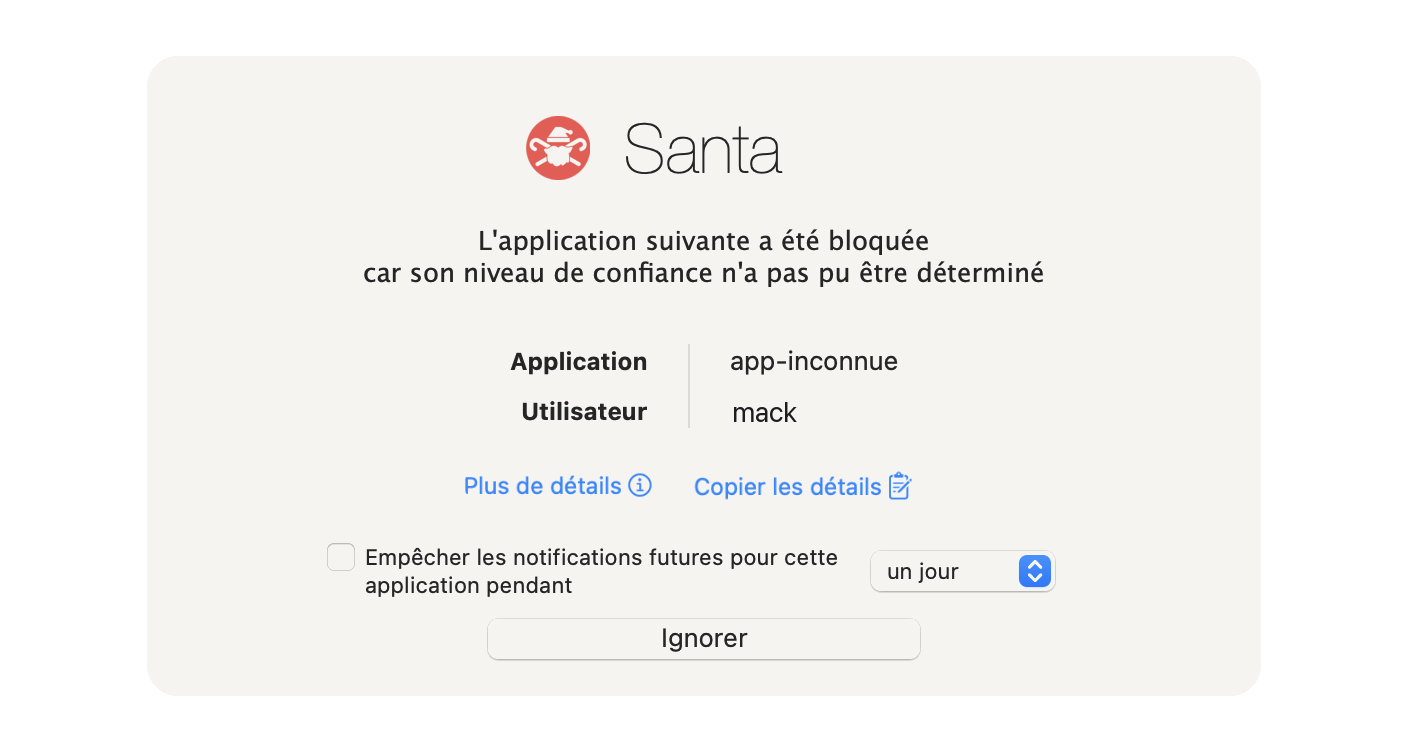
Santa, the bouncer, who only lets in the people on the list, even in an Apple-signed suit.
Little Snitch, the customs officer, who lets nothing out without checking it has permission.
The last two, you’ve already met.
Why antivirus alone falls short
An antivirus works like a wanted poster. It compares every file against a list of malware already identified, and it blocks whatever matches. Against a known threat, that works. Against a threat that isn’t on the poster yet, it detects nothing.
Mac attacks in 2025 and 2026 exploit exactly that gap, in three ways.
- The signed, notarized app. CrashStealer isn’t an isolated case. Campaigns by BlueNoroff, the North Korean group that goes after finance and crypto, also delivered signed and notarized apps. Apple says so in its own documentation, notarization looks for known malware. Judging the intent of a brand-new app isn’t its job.
- ClickFix, the attack where you do the clicking. A fake “I’m not a robot” check asks you to copy a command into Terminal. You paste it, it downloads a data stealer. Microsoft documented new waves in May then in August 2026, and one variant even goes through Script Editor to dodge Terminal’s warning, we covered it in a radar.
- The fake update. A fake Zoom client, a supposedly urgent patch, in the middle of a call that looks perfectly normal. That’s the scenario of North Korean campaigns tied to BlueNoroff, which can go as far as emptying your keychain.
On volume, one name crushes the rest, AMOS, aka Atomic Stealer, most often delivered through ClickFix or fake updates. According to Sophos, it accounted for nearly 40% of the vendor’s macOS protection updates in 2025, more than double any other family. It even knows how to go after your AI sessions.
No tool blocks the ClickFix gesture itself, not XProtect, not Intego, not Bitdefender, not Santa. The command runs in Terminal, a legitimate program you opened yourself. The tools can only step in afterwards, on what it downloads, drops or tries to send.
So the right question is no longer “which antivirus?”. It’s “what happens when the antivirus misses?”.
The criteria that matter
Tools that don’t do the same job get judged on a common grid, in five points.
- What the tool actually stops, against the three vectors above, and at what moment.
- What risk it adds, because security software runs with elevated privileges.
- The cost, in money and in time.
- What it expects you to know how to do, install once and forget, or maintain rules.
- Day-to-day friction, because a tool switched off after a week protects nobody.
I’m leaving out enterprise solutions, which belong to the SIEM world, and Apple’s Lockdown Mode, built for the targets of state spyware, which has its own article.
First layer, the security guard who knows the faces
The security guard is detection. He has the photos of the known troublemakers and stops them at the door. Three candidates are competing for the job.
XProtect, the in-house guard
XProtect is already on your Mac, free, switched on, and it asks nothing of you. It examines files at download and at first launch, with rules supplied by Apple, and its XProtect Remediator module sweeps through in the background to remove known families. Apple updates it silently, as we saw after the TanStack incident.
Its weakness is the pace. Howard Oakley, the author of The Eclectic Light Company, who has followed XProtect closely for years, noted gaps of 30 to 126 days between two XProtect Remediator updates. On July 9, he counted 142 days without a new version since the one from February 17, unheard of in his view, and the next one only arrived on September 18.
It’s a single source, since Apple publishes no dated log, but it’s serious tracking.
And don’t count on macOS updates to fill the gap. Remediator follows its own channel, in the background, and several macOS releases came out during those 142 days without moving it an inch. Apple, for its part, says nothing, neither about the pace nor about the contents.
The in-house guard is reliable, just not always awake.
Read also, Your Mac was patched by XProtect without your knowledge, it’s for your own good
XProtect doesn’t appear in any lab ranking, good or bad. Labs test products you install, not the system’s own protections. No score doesn’t mean a bad score.
Intego, the guard you pay for
Intego is the Mac’s historic antivirus, founded in France in 1997, owned since 2018 by Kape Technologies, the group that also owns ExpressVPN and CyberGhost. A fact about ownership, not an accusation. The entry-level plan, Essential (antivirus and firewall), costs €26.24 the first year for one Mac, then €34.99 a year. The plan the lab tested, Complete, which adds cleanup, a VPN and an iPhone, goes from €51.99 to €79.99 at renewal (prices as of September 24, 2026).
On paper, its edge over XProtect is responsiveness, the vendor publishes very regularly on new AMOS variants. Independent results cool the enthusiasm. In AV-Comparatives’ 2026 Mac test, Intego ONE Complete detects 96.7% of Mac malware, the lowest score of the nine products tested, while most of them clear 99%.
And there’s the flip side of any security software. Intego asks for Full Disk Access to read your mail, Safari and your files. In February 2026, the CVE-2026-26225 flaw hit Intego Personal Backup, the vendor’s backup software, and let an attacker already on the machine gain root rights, the highest level in the system. By hiring this guard, you also knocked a side door into the wall.
Bitdefender, the European guard
Bitdefender is a Romanian vendor, founded in 2001 and based in Bucharest, so it falls under European law, GDPR included. The labs test its Mac engine, Bitdefender Antivirus for Mac, but the French site doesn’t sell it on its own. It sells it as a multi-device suite, and the entry-level plan for a Mac, Total Security, costs €49.99 the first year for five devices, then €94.99 at renewal, nearly double (prices as of September 24, 2026).
It’s the paid guard that has its grades from both reference labs. In the same AV-Comparatives test, it detects 99.0% of Mac malware, with zero false positives. At AV-TEST, in the June 2026 cycle, it scores 18 out of 18, the top mark for protection, performance and usability. It’s still a security guard, one that only recognizes known faces.
On the risk side, it too asks for Full Disk Access, along with a system extension and an online account to activate the license. No recent flaw is on record for its consumer Mac version (the 2023 to 2025 ones targeted Windows), which doesn’t prove there isn’t one. The unlimited VPN only comes with the Premium plan, which costs more.
The security guard’s verdict
For most users, an up-to-date XProtect holds the security guard’s post, no cost, no account, no third-party component running with privileges. That’s what I recommend, and it’s what I use every day.
If you want another product, because you run a mixed Mac and Windows fleet or someone requires an external antivirus, Bitdefender is the one I recommend. But remember, no security guard, free or paid, stops a face he doesn’t have a photo of yet.
Second layer, the bouncer who only reads the list
The bouncer isn’t hunting for troublemakers. He holds a guest list, and anyone not on it stays outside, even in an impeccable suit, even with an Apple-signed badge. That’s exactly the role of Santa.
Santa flips the antivirus logic around. Instead of a blocklist of threats, an allowlist. You say which applications are allowed to run, by publisher or by specific application, and everything else is refused at launch. The tool is free, open source, created by Google for its own Macs and taken over by North Pole Security, the company founded by its original authors.
Back to CrashStealer. Signed, notarized, and not on your list. Facing a locked-down Santa, it would therefore have been refused at launch without anyone needing to recognize it as malicious.
Simpler than people say
Santa passes for a big-enterprise tool. At home, for individual use, setting it up turns out to be simple, in three stages.
- Observation. Santa starts in Monitor mode. It logs everything that runs, without blocking anything, while you work as usual. You end up with the guest register of your Mac, or of your Macs if you have several.
- Lockdown. Once the observation has been done properly, you switch to Lockdown mode. A little follow-up at the start is enough, just long enough to catch the tool you forgot to allow. It doesn’t last.
- Approvals as you go. From then on, each piece of software you install asks for its rule. One command, and it joins the list.
Two details so nothing catches you off guard. At install, macOS asks you to approve the system extension and Full Disk Access yourself. And lockdown is switched on through a configuration profile, not a simple setting, precisely so that malware can’t turn it off behind your back. While we’re at it, Santa’s Lockdown mode has nothing to do with Apple’s Lockdown Mode.
Yes, Santa asks for privileges on the same order as Intego. The difference is an open source tool, with public code, that does one thing only. No recent flaw is on record for it, with the same caveat as for Bitdefender.
The bouncer’s limit is well known. Santa judges the program that runs, not what it’s told to do. A script launched by bash, python3 or osascript gets past it, because it’s the interpreter that gets checked, and you allowed the interpreter. We’ll come back to that below.
Read also, Santa on your Macs, the uninvited binary stays at the door
Third layer, the customs officer at the exit
Let’s assume the worst. A thief got in and swiped your keychain. One unavoidable step remains, getting the loot out.
That’s the customs officer’s post. An outbound firewall like Little Snitch or LuLu intercepts every connection an application attempts toward the Internet, and asks for your call the first time it wants to reach an unknown destination.
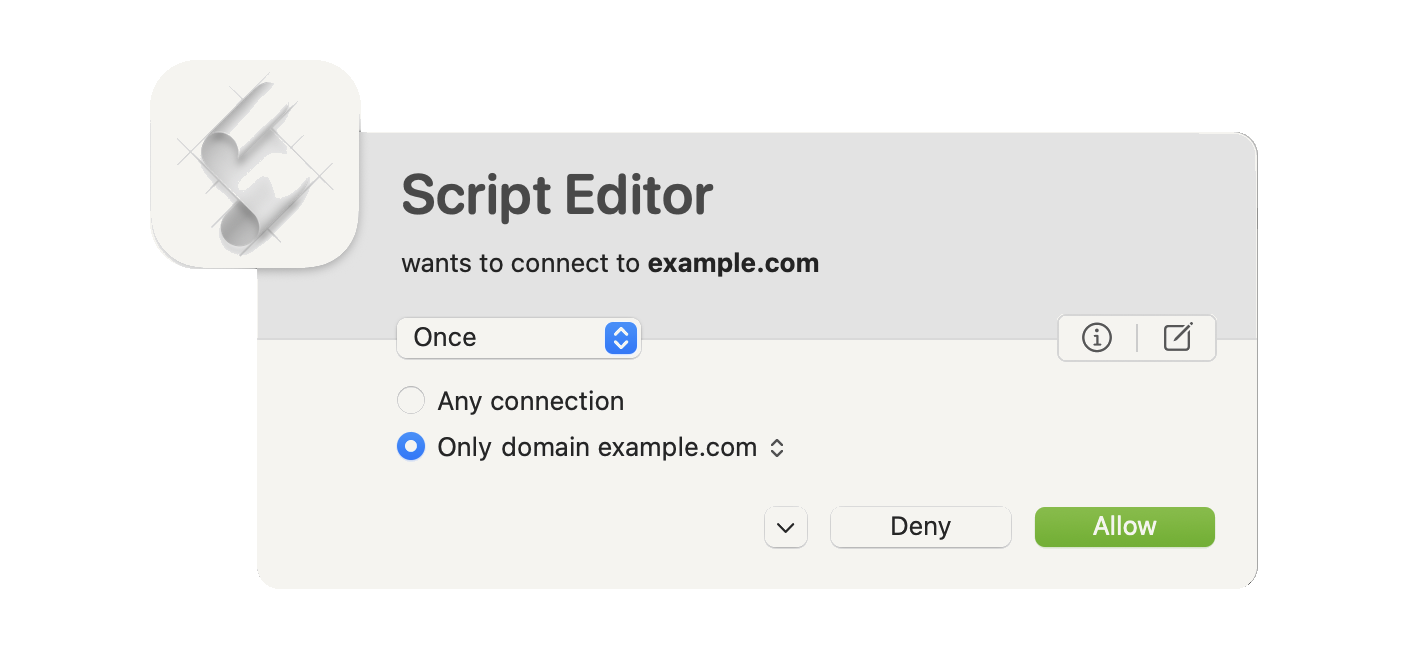
AMOS ships its data out through a plain web request to a server whose address is hard-coded, according to several technical analyses. A customs officer who raises the alarm on first contact can intercept that attempt, if you say no.
I do mean “can”. No published case documents a theft stopped in real-world conditions by Little Snitch or LuLu. There is, however, a telling clue. In April 2026, a post published by Objective-See describes a macOS stealer spread through ClickFix that tries to kill Little Snitch and LuLu before grabbing its loot. That’s not proof they work. But malware rarely bothers to take out a tool that isn’t in its way.
Little Snitch or LuLu
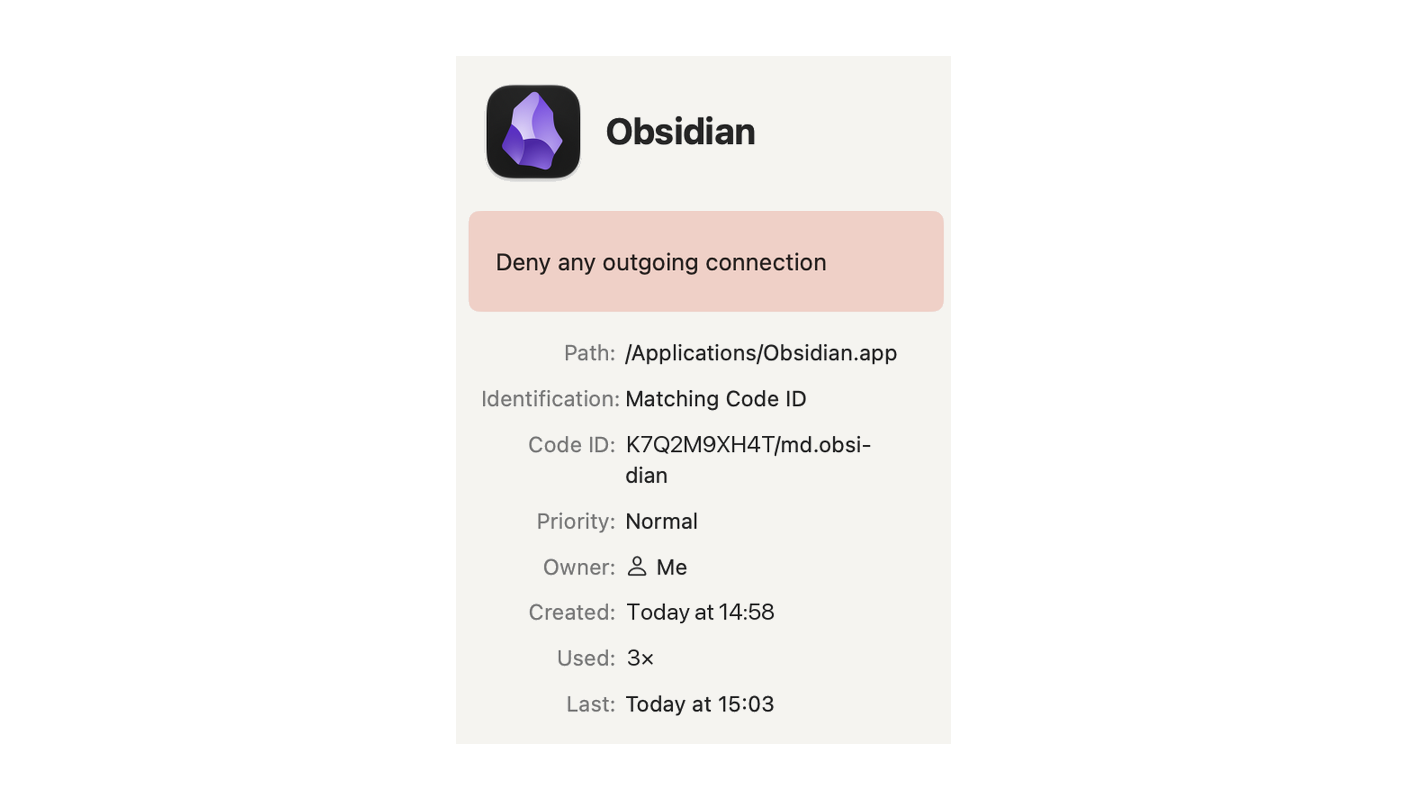
Same job, not the same effectiveness. Little Snitch costs €59, a perpetual license valid on all your Macs. It has encrypted DNS built in, shows a live traffic map, switches profiles on its own depending on the network, and gives you fine-grained rule management. A Vienna-based team has kept it moving since 2003. At that price, if like me you own several Macs, it’s a bargain.
LuLu is free and open source, more spartan, backed by a researcher’s small nonprofit, with no commercial vendor behind it. It does the basic job, but without encrypted DNS, with a more basic network monitor and no traffic map, and a silent failure has already been reported (see below). Good for discovering the principle, less so for manning customs day to day. Pick one of the two, not both at once.
The customs officer’s blind spots
Three limits apply to both tools, the fourth concerns LuLu only.
- He runs with privileges too. Little Snitch and LuLu go through a network system extension you approve at install.
- Not everything goes through customs. Objective-See acknowledges it in LuLu’s documentation, some network traffic isn’t routed through network extensions and stays invisible to these tools. Little Snitch relies on the same Apple mechanism and shares that limit.
- Alert fatigue. The first few days, the prompts pour in. The real danger is getting into the habit of clicking “allow” without reading.
- On the LuLu side, the failure you can’t see. A GitHub report describes LuLu 4.2.1 on macOS Tahoe 26.2, filter shown as active, extension never launched, no visible error. The cause, according to its developer, was an old corrupted rules file LuLu couldn’t read. Keep the reflex, after every update of macOS or of your firewall, check that your customs officer is actually at his post.
Read also, Little Snitch vs LuLu, which outgoing firewall for your Mac
The gap between the layers, interpreters
A thief doesn’t always need to bring his own program. He can hijack the ones already there. curl to download and send, osascript to drive the system in AppleScript, a shell like zsh to chain it all together. These are tools that ship with macOS, legitimate, and Santa lets them run.
In one case analyzed by Sophos, it’s precisely a curl that carries off the archive AMOS stole. And if your firewall broadly lets curl out, because one of your tools needs it, the thief rides on the same pass.
The countermeasure fits in a single customs principle. Interpreters aren’t allowed out, except toward your own machines. In Little Snitch or LuLu, you write a rule that targets a specific tool, curl, osascript or a shell, and only lets it out toward addresses you control, your NAS, your personal server, your router. Everything else is refused.
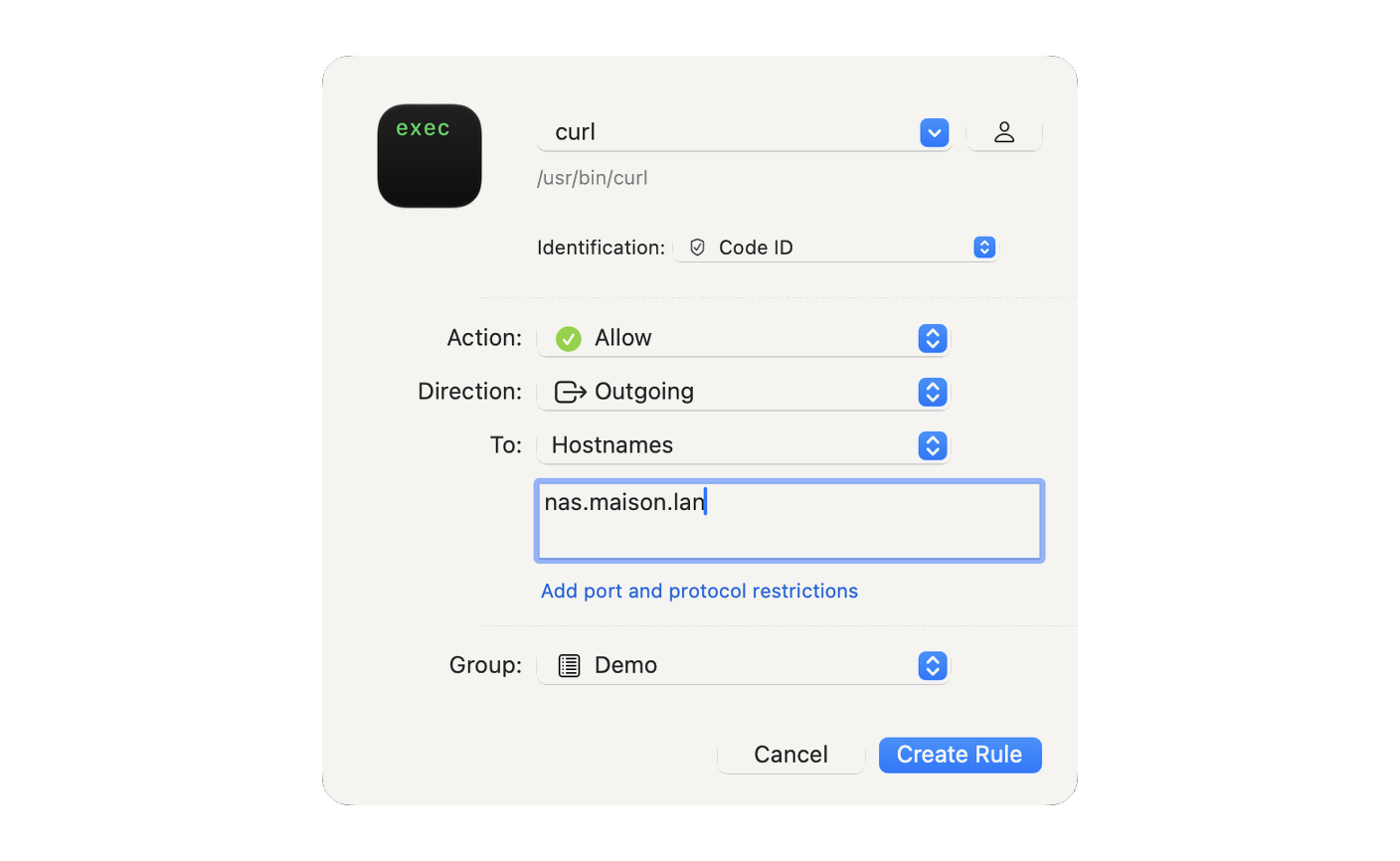
A thief who hijacks curl to ship your keychain to an unknown server then hits a wall, even if he fooled the bouncer. And the typical ClickFix command, which starts with a curl to the attacker’s server, would break its teeth at the download stage.
Expect a bit of tuning at the start, long enough to spot which legitimate tools go out through these interpreters, and to open for them only the destination they actually use.
My recommendation
The combination I recommend, short of going all the way to a SIEM, which is for larger organizations, comes down to three tools. An up-to-date XProtect to detect, Santa to control execution, Little Snitch to control egress. A free security guard, a free bouncer, a €59 customs officer.
Depending on your profile, the order in which they show up changes.
If you’re just starting out. Keep macOS up to date, XProtect follows, and go through the basic privacy settings. Install Santa in observation, free, it blocks nothing until you’ve decided it should. Then add Little Snitch or LuLu, and you finally see who talks to whom from your Mac.
If you’re a freelancer or a small business, with client data on your Mac. All three layers, with Little Snitch for its fine-grained rules. It’s the best balance between protection and effort I know of on a Mac.
If you run a mixed Mac and Windows fleet, or a client requires an antivirus. Add a commercial antivirus as an extra security guard, picked on independent, published Mac tests. Bitdefender does the job, Intego is rated lower. But never leave it alone on duty.
What I advise against is paying for an antivirus subscription and thinking the matter is settled. Against the notarized app, ClickFix and the fake update, it often shows up after the fact.
In short
An antivirus, free or paid, asks a single question, “do I recognize this file?”. 2026’s Mac attacks are built so the answer is no, signed, notarized, or launched with your own hands. The bouncer and the customs officer ask two other questions, “is it on the list?” and “is it allowed out?”, and those are the ones that hold when the first one fails.
In practice, this week.
- Update macOS, XProtect follows along.
- Install Santa in observation, then lock down once the list is clean.
- Install Little Snitch or LuLu and watch, for a few days, what leaves your Mac.
Three well-placed guards don’t make a control room yet. Each one sees its own share, none of them links events together. The day you want a Santa block followed by a suspicious connection to become one readable alert, that’s a SIEM’s job, and you can build one at home.
Sources
To check for yourself, the primary reports rather than second-hand forums.
The independent labs
- AV-Comparatives, Mac Security Test & Review 2026, an Austrian lab with a published methodology, where Intego’s and Bitdefender’s scores come from
- AV-TEST, consumer macOS protection, the other reference lab, and Bitdefender’s 18 out of 18 in June 2026
Apple and tracking its protections
- Apple, Learn how Notarization scans for malware, what Apple’s stamp checks, and what it doesn’t
- Howard Oakley, Is malware protection changing?, the author of The Eclectic Light Company and the 142 days without an XProtect Remediator update
- Howard Oakley, Apple has released an update to XProtect Remediator, the September 18 update that ended the long pause
Threat analyses
- Jamf Threat Labs, CrashStealer, the reference analysis of the notarized malware
- SentinelLabs, BlueNoroff Hidden Risk, the North Korean group and its notarized apps
- Microsoft Security Blog, the ClickFix waves on Mac of May 6, 2026 and of August 5, 2026
- Sophos, Why AMOS matters, how much weight AMOS carried in 2025 Mac threats
- Objective-See, Catching macOS Stealers in the Wild, the stealer that tries to kill outbound firewalls
Flaws and reports
- CVE-2026-26225 on OpenCVE, the Intego Personal Backup flaw
- LuLu, GitHub issue #825, the filter shown as active that filters nothing on Tahoe 26.2
Vendors mentioned
- Intego, prices checked on September 24, 2026
- Bitdefender Total Security, prices checked on September 24, 2026