Apple, Bitwarden, KeePassXC or 1Password on your Mac
Apple, Bitwarden, KeePassXC, 1Password: Four radically different approaches. Which one fits your profile and budget?
Introduction
Four options, four radically different philosophies.
The Passwords app (Apple) is free, integrated, and already there. KeePassXC is a local vault, no server, no subscription, no company at the end of the chain. Bitwarden is open source with a free version and self-hostable. 1Password is paid, cross-platform, but proprietary cloud under 5 Eyes jurisdiction.
The right choice depends on one thing: your usage profile and what you’re willing to entrust to whom.
The criteria that matter
We keep the useful criteria, not the ones that look good in a table:
- Security architecture: Who can technically access your data?
- Privacy and jurisdiction: Under what law are your data submitted?
- Portability: Does it work on Android, Windows, Linux?
- Advanced features: Travel Mode, team sharing, integrated 2FA
- Hosting: Third-party cloud or your own
- Price: Free, subscription, or one-time purchase
- Independent audits: Have the claims been verified?
Not evaluated: themes, number of widgets, and features no one uses.
Apple Passwords app
Philosophy
Apple built its manager around security and ease of use: everything happens on the devices you own, encrypted with your own keys. iCloud sync, passkeys for 2FA, unlock with Touch ID or Face ID, everything is designed to make your life easier.
Strengths
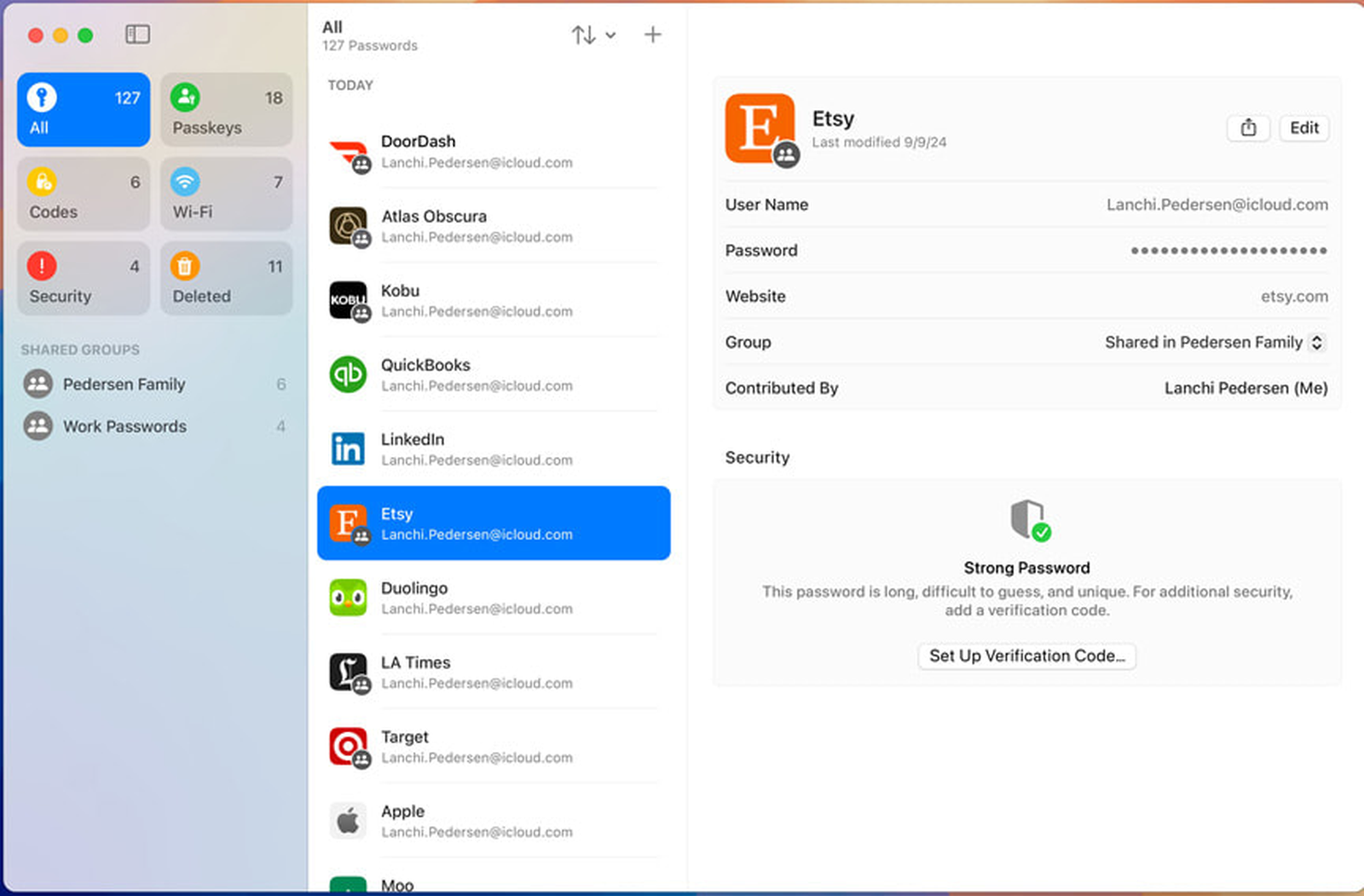
Free and integrated. The Passwords app is available on macOS Sequoia (15.x) and Tahoe (26.x), iOS 18 and iPadOS 18. It manages passwords, credentials, 2FA codes (TOTP), passkeys, Wi-Fi passwords, and secure notes. Nothing to install, nothing to configure, nothing to pay.
End-to-end encryption. With Advanced Data Protection for iCloud enabled, the data in the Passwords app is encrypted with locally generated keys. Apple cannot read it, even if legally compelled. Without this option, some metadata remains accessible to Apple.
Read: Apple Silicon and Secure Enclave: What it really changes
Passkeys. The native integration of passkeys is probably the strongest point in 2026. Passkeys replace passwords with a pair of cryptographic keys: nothing is ever sent to the server. On Mac and iPhone, it works without friction with Face ID or Touch ID.
Family sharing. The app allows creating shared vaults for the iCloud family: personal account credentials on one side, common access (Netflix, Wi-Fi) in the shared vault.
Compromised password detection. Automatic verification via a proprietary Apple system using the k-anonymity protocol: no passwords are sent as is. Apple does not communicate the leak bases used, but the mechanism checks your credentials against known compromises without exposing your data.
Honest limitations
Apple-only, almost. Mac, iPhone, iPad, Apple Watch. On Windows, there is an iCloud Passwords extension for Chrome and Edge, but it’s a crutch. On Android? Nothing. If your setup goes beyond the Apple ecosystem, the Passwords app becomes a real hindrance.
American jurisdiction. Apple is subject to the CLOUD Act, National Security Letters, and American surveillance. Advanced Data Protection for iCloud reinforces technical protection but doesn’t change the jurisdiction.
Limited public audits. Apple publishes white papers but no independent public audit on the Passwords app, unlike 1Password or Bitwarden.
Who it’s for: 100% Apple users, individuals and professionals alike, families.
Price: Free.
KeePassXC
Philosophy
KeePassXC is in a category of its own. It’s not a cloud service, no subscription, no company with servers. It’s desktop software that encrypts a file on your disk. To understand KeePassXC, you need to understand its logic: your passwords are in a file (.kdbx), encrypted, that you store wherever you want. That file is your vault. KeePassXC is the key that opens it.
How it works concretely
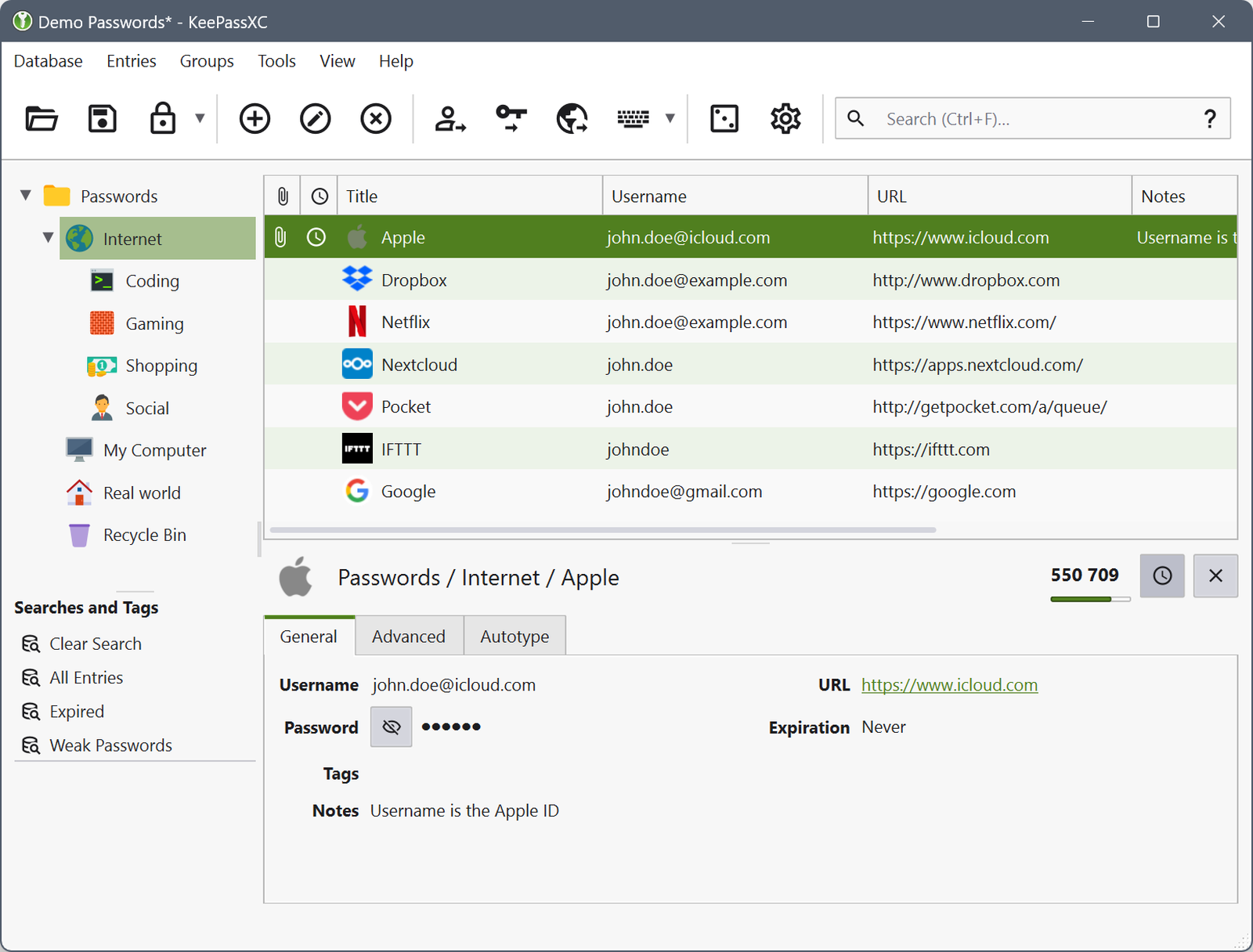
On Mac, you install KeePassXC (a .dmg, like any other app). You create a database, a .kdbx file protected by your master password. This file contains all your credentials, encrypted. You store it in a synchronized folder (Nextcloud, NAS, or even iCloud if you want), and KeePassXC opens it on demand. A browser extension (KeePassXC-Browser) automatically fills in your credentials on websites. Touch ID works for quick unlocking.
On iPhone, you install KeePassium, an open-source (GPLv3) app developed in Luxembourg, zero data collection. You point it to your .kdbx file on Nextcloud via WebDAV (your Nextcloud address + your credentials, 10 minutes of setup). KeePassium downloads, caches locally, and synchronizes every time it’s opened. Touch ID and Face ID work for unlocking. You enable auto-fill in iOS settings, and that’s it.
Synchronization is bidirectional. You add a password on iPhone? KeePassium writes to the .kdbx file on Nextcloud. You open KeePassXC on Mac? It detects the change and reloads the database. The same goes the other way around. The file on Nextcloud serves as the synchronization point, always encrypted, whether at rest or in transit.
Strengths
No third-party server, no company, no jurisdiction. The .kdbx file is yours: on your Mac, your Nextcloud, your NAS. No one can access it without your master password because there’s no intermediary in the loop. It’s you who decides where your passwords live.
Open source and certified. KeePassXC is under the GPL license, the code is public. The application has undergone an independent audit in 2023 (Zaur Molotnikov, public report), with positive conclusions on cryptographic protection. Even better: KeePassXC 2.7.9 has obtained the CSPN security visa from ANSSI, recognized in France and Germany (certification on v2.7.9 / Windows 10; the cryptographic architecture is common to all platforms). That’s an official certification, not an audit commissioned by the editor.
100% free, no limits. KeePassXC isn’t freemium: there’s no premium version, no subscription, no feature behind a paywall. The project lives on voluntary contributions and donations. You install, you use, that’s it.
On iOS, it’s KeePassium that takes over. The basic version is free; the premium version (multi-database, automatic unlock) is optional.
Complete features. KeePassXC manages passwords, passkeys (since version 2.7.7), 2FA codes (TOTP), SSH agent integration (agent SSH for your keys), auto-fill via browser extension, support for physical security keys (YubiKey), and compromised password verification via Have I Been Pwned (integrated in the app, k-anonymity request without exposing your data).
Cross-platform desktop. Mac, Windows, Linux. The interface is consistent across the three platforms.
Honest limitations
No Safari extension. Passkeys and auto-fill in KeePassXC work via a browser extension, available for Firefox, Chrome, and Edge. Safari isn’t supported. On Safari, you have to copy-paste from the app (Cmd+B for the credential, Cmd+C for the password, pasteboard automatically cleared). That’s the main limitation for a Mac user.
Austere interface. KeePassXC is functional, not pretty. The interface has been modernized over the years but remains less intuitive than 1Password or Bitwarden. It’s not a deal-breaker, but there’s a learning curve.
No native iOS app. On iPhone, you go through KeePassium, a third-party app, albeit sovereign (open-source, Luxembourg), but it’s an additional software to know. The experience is very good once configured, but it’s not as seamless as Bitwarden or 1Password where everything is integrated.
Natural Travel Mode. KeePassXC doesn’t have a “Travel Mode” button, but the file architecture does better: you have multiple .kdbx files, you choose which ones are on which device. Before a trip, you don’t synchronize the sensitive file to your iPhone, that’s all. And if you use a key file in addition to the master password, you can revoke a device instantly: remove the key file from the device, and even if someone has the .kdbx file, they can’t do anything. That’s the granularity that cloud solutions can’t offer.
Who it’s for: Users with a slightly more technical profile, who don’t want any third-party server in the loop, integration with SSH or YubiKey.
Price: Free.
Bitwarden
Philosophy
Bitwarden is the open-source answer to the problem of cloud password managers. The code is public, auditable by anyone, the business model is honest, and you can self-host if you don’t want to depend on their servers.
Strengths
Open source. The code is on GitHub, under the GPL license. Audited annually by third parties independently (Cure53 in 2018, Fracture Labs in 2024, ETH Zurich in 2025 for cryptography), public reports on bitwarden.com/compliance. That’s maximum transparency for a security tool.
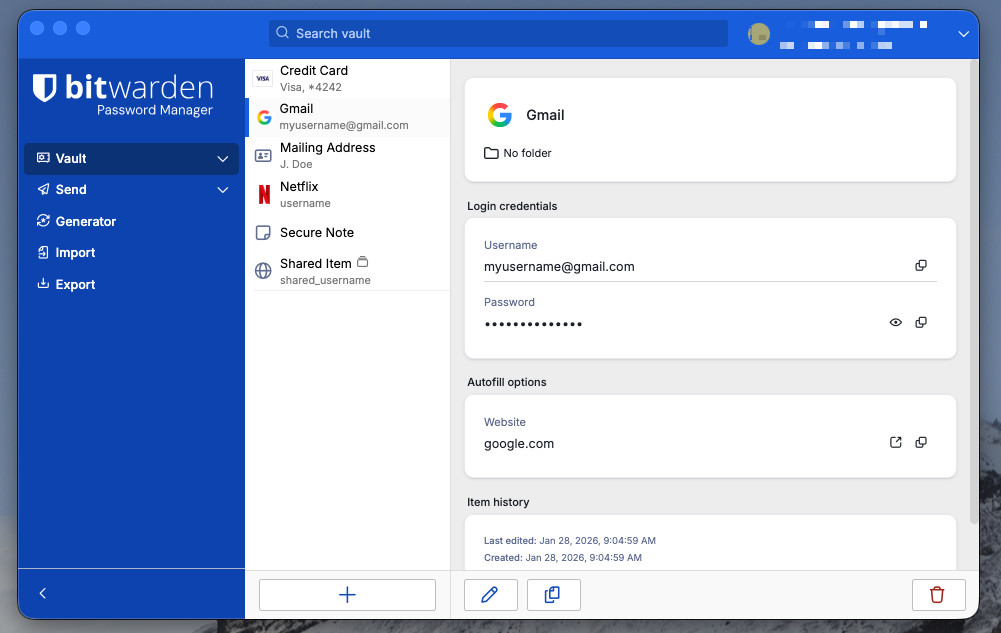
Functional free version. Unlike 1Password (100% paid), Bitwarden has a real free version: unlimited password storage, cross-platform synchronization, sharing with one other person. The Premium version (19.80 $/year) adds 2FA codes (TOTP), security reports (detection of leaks via Have I Been Pwned, weak or reused passwords), and encrypted attachments. Note that KeePassXC offers most of these Premium features (2FA, HIBP verification) for free, but without the integrated cloud sync.
Passkeys and 2FA. Like Apple and KeePassXC, Bitwarden natively manages passkeys. 2FA codes (TOTP) are reserved for the Premium plan (19.80 $/year).
Physical security keys and storage. Since the January 2026 increase, Premium has been beefed up to justify the price. You can now associate up to 10 physical keys (YubiKey, Nitrokey) with your account, up from 2 previously. Encrypted attachment storage goes up to 5 GB. A phishing blocker is also announced, not yet deployed at the time this article is published. For comparison: KeePassXC also supports YubiKey natively, without a subscription, but without the cloud behind it.
Cross-platform complete. Mac, iPhone, iPad, Windows, Android, Linux, extensions for all browsers. Wider than 1Password on Linux support.
Self-hosting. You can run your own Bitwarden server on your NAS or your VPS. In practice, most people self-hosting use Vaultwarden: it’s a community rewrite of the Bitwarden server in Rust (a language focused on security and performance, Apple is even migrating some macOS components to Rust). Vaultwarden is ultra-lightweight, runs on a Raspberry Pi, and remains 100% compatible with the official Bitwarden apps. Your passwords stay on your infrastructure, under your jurisdiction, at your security level. For MacSouverain’s audience, that’s the most sovereign option for a cloud password manager.
American jurisdiction manageable. Bitwarden is based in the US, which is unfavorable in itself. But with self-hosting, the question of the company’s jurisdiction becomes secondary because your data isn’t on their servers.
Honest limitations
Less polished interface than 1Password. Bitwarden is functionally complete, but the user experience is less polished. It’s not a deal-breaker, but it’s noticeable in daily use.
Self-hosting: installation is the barrier. Hosting Vaultwarden on a VPS or NAS requires initial configuration (Docker, reverse proxy). Once in place, maintenance is minimal: an occasional update, a backup of the database, and it runs on its own. We’ll dive deeper into setting up a complete sovereign infrastructure in our future guides.
Integrated 2FA (TOTP) only in the paid version. The free version doesn’t manage 2FA codes directly in Bitwarden. You need to upgrade to Premium (19.80 $/year) or use a separate 2FA app.
No Travel Mode. Bitwarden doesn’t have an equivalent to 1Password’s Travel Mode.
Who it’s for: Users who want open-source and/or self-hosting, tight budgets.
Price: Free (basic) or 19.80 $/year for Premium (price increase in January 2026, from 10 $/year, with 5 GB storage and support for 10 physical keys in return).
1Password
Philosophy
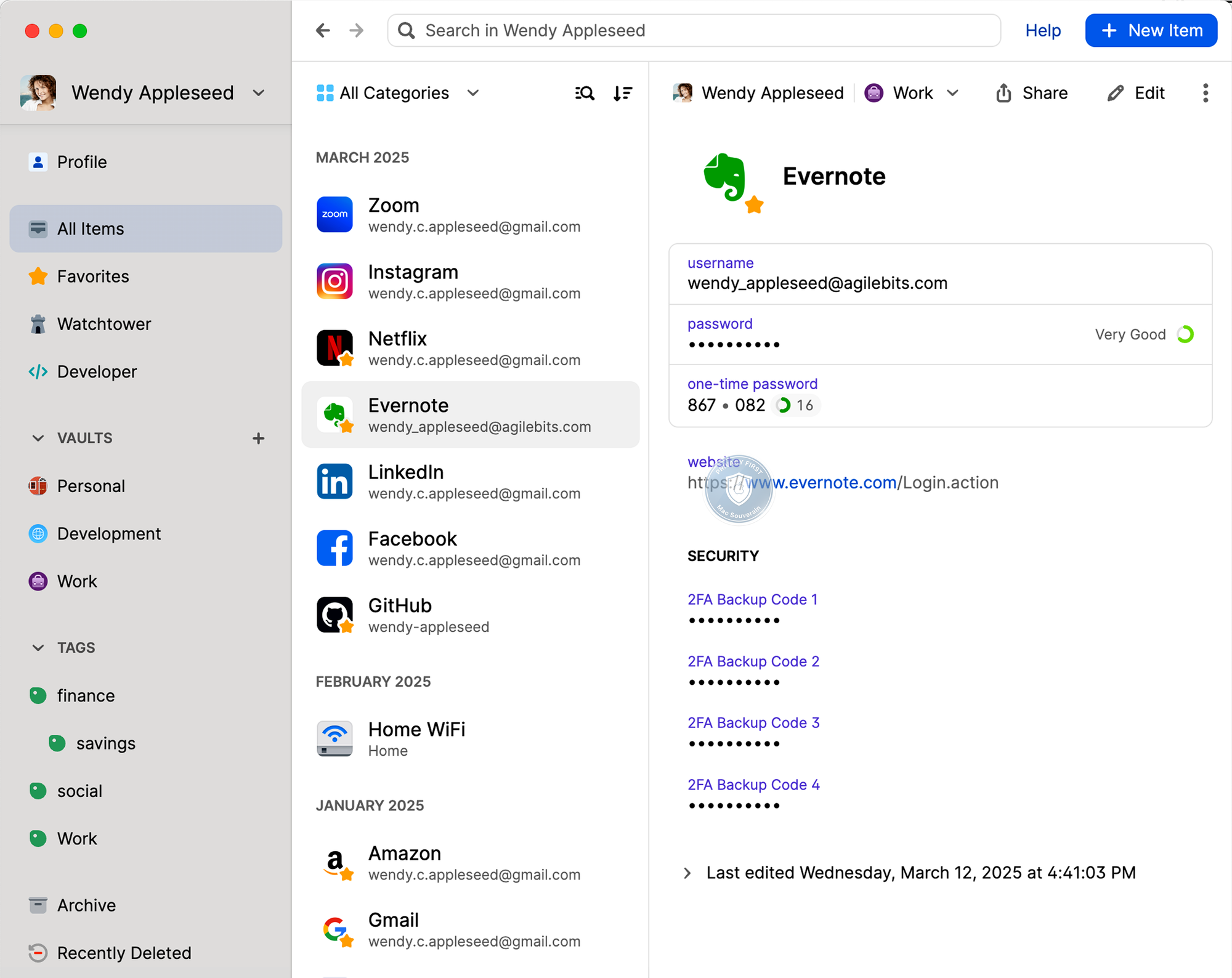
1Password solves a specific problem: having a reliable, auditable, cross-platform password manager with advanced features for professional use. Its architecture relies on two factors: your master password and a secret key, a 128-bit key generated locally and never sent to their servers. Even if their servers were compromised, your data would be unexploitable without this key.
Strengths
Secret key: a structural difference. The Passwords app mainly relies on your iCloud master password for recovery. 1Password adds a cryptographic layer that can’t be brute-forced from their servers. That’s not marketing, it’s engineering.
Cross-platform complete. Mac, iPhone, iPad, Windows, Android, Linux, extensions for Chrome, Firefox, Safari, Edge. If someone in your entourage has an Android or a Windows PC, 1Password works everywhere without friction.
Travel Mode. If you’re traveling to a country with border controls and you don’t want an inspection to access certain vaults, mark them as “non-travel”, and they’ll disappear from the app until you reactivate them on a trusted device. It doesn’t protect against an extorted password, but it protects against a physical search.
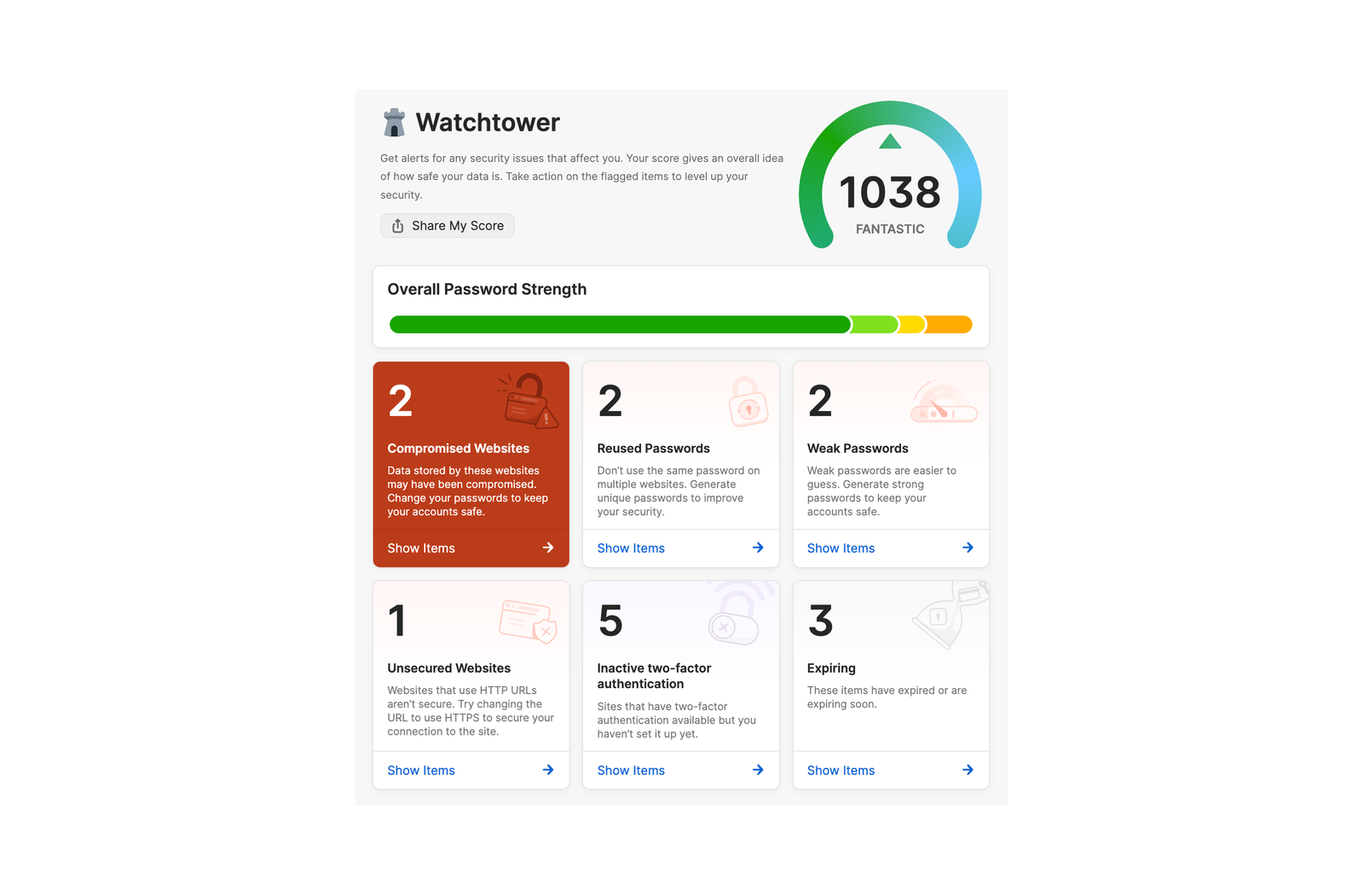
Watchtower. Continuous monitoring via the Have I Been Pwned database (14 billion compromised accounts): passwords present in leaks, weak or reused passwords, sites without 2FA enabled, expired SSL certificates, upcoming expiration dates. That’s the most comprehensive security audit of the four. In comparison, the Passwords app in iCloud detects leaks, weak and reused passwords, functional but basic. Bitwarden offers similar reports (Vault Health Reports) but requires manual generation and has dark web monitoring reserved for the paid plan. KeePassXC only checks strength and duplicates, no built-in leak detection.
Independent audits. Audited regularly by Cure53 between 2020 and 2022 (public reports). Since 2025, annual pentest reports are accessible via the Trust Center of 1Password (access on request). That’s an acceptable level of transparency for a paid security tool.
Team plans. Access management, security policies, activity reports. For an independent contractor managing client accesses or a small team, that’s a real difference.
Honest limitations
Proprietary and paid. 1Password isn’t open-source. You trust their audits, not verifiable code. The individual plan costs 2.74 €/month billed annually (promotional rate for new customers in the first year). Not expensive for a security tool, but not nothing.
Canada, member of the 5 Eyes. AgileBits is based in Toronto. Canada is a member of the 5 Eyes intelligence alliance, along with the US, UK, Australia, and New Zealand. The zero-knowledge architecture limits the risk, but the jurisdiction is still unfavorable compared to Switzerland or a self-hosted solution.
No free version. 14-day trial, then paid.
Who it’s for: Cross-platform users, professionals, frequent travelers, small teams.
Price: 2.74 €/month individual, 4.31 €/month family plan for 5 users (billed annually, promotional rate for new customers in the first year).
Mack’s recommendation
You’re 100% in the Apple ecosystem. The Passwords app does the job, whether you’re an individual or a professional. It’s free, encrypted, has passkeys, family sharing, and especially: Touch ID and Face ID unlock your accounts without friction. Enable Advanced Data Protection for iCloud and you’re set.
You want your passwords to be in maximum sovereignty mode. KeePassXC. Locally encrypted file, synchronization on your Nextcloud, no company in the loop. On iPhone, KeePassium (open-source, Luxembourg) takes over with Touch ID and Face ID. That’s maximum sovereignty on this topic, and the most elegant Travel Mode: you physically control what’s on each device. ANSSI certified.
You want open-source with the self-hosting option, or you’re on a tight budget. Bitwarden. Mostly free, Premium at 19.80 $/year, and Vaultwarden on your NAS if you want full control. Open-source, audited, sovereign if you self-host it. Touch ID and Face ID supported everywhere.
You have devices outside the Apple ecosystem and you need Travel Mode or team management. 1Password does the job technically, and it does it well. The zero-knowledge architecture with the secret key is solid, Watchtower is the best security audit on the market, and Travel Mode is unique. But it’s a proprietary cloud under Canadian 5 Eyes jurisdiction. That’s why MacSouverain can’t recommend it as a privacy solution, despite its undeniable technical qualities.