Alerting and total cost, the final tally of your sovereign SIEM
Wire up Wazuh alerting without drowning in noise, then the honest bottom line on your sovereign stack against a SaaS bill six to thirty times heavier.

Series · episode 7 of 7Build Your Sovereign SIEM Contents
- Prologue Build your sovereign SIEM for SMEs, compliant with GDPR/NIS2 without CLOUD Act
- 1 Your sovereign SIEM's foundation, a hardened VPS outside the CLOUD Act
- 2 Wazuh all-in-one, your homegrown Splunk for the price of a VPS
- 3 Deploy Wazuh everywhere, your SIEM finally sees your network
- 4 CrowdSec up front, blocking before they hit you
- 5 Rspamd in front of your inbox, phishing stops at the doormat
- 6 Santa on your Macs, the uninvited binary stays at the door
- 7 Alerting and total cost, the final tally of your sovereign SIEMyou are here
Six episodes. A hardened VPS, Wazuh centralising everything, agents across the whole park, CrowdSec at the network, Rspamd at the mail, Santa on the Macs. Your stack is standing, it collects, it detects, it logs.
And it is mute.
A binary blocked on a workstation, a burst of failed logins, an account waking up at 3 in the morning, all of it lands quietly in a dashboard nobody is watching at 3 in the morning. A detection nobody sees go by isn’t a detection, it’s one more log line.
Today, the last episode of the series, we wire up alerting. The brick that turns a SIEM that knows into a SIEM that warns. And then we do what we promised from the very first article, the math. What this stack really costs you, against the bill you’d have been handed in SaaS. The answer is sharper than you think.
Alerting, being warned without being harassed
Wazuh already knows how to send notifications. A dedicated daemon, wazuh-integratord, starts with the manager, reads the alert stream continuously, and pushes every alert above a threshold to the target you’ve pointed it at. The machinery is there. All the work is in the tuning.
First sovereign reflex, look at who receives your alerts. Wazuh ships turnkey native integrations, and that’s exactly the trap, almost all of them are American services, Slack, PagerDuty, VirusTotal. Wiring your sovereign SIEM to Slack means building an entire stack to stay master of your logs, then shipping every one of your security alerts off to an American third party. Dependency sneaking in through the back door.
Two channels stay coherent with what we’ve built. Email, served by the mail server you’ve already been running since the Rspamd episode, which is Wazuh’s historical notification mechanism. And self-hosted chat, a Mattermost or a Matrix sitting on your own infrastructure. Mattermost accepts Slack-format webhooks, so the native slack integration works as-is most of the time, its hook_url pointed at your own server. Retest it on your version, the formats shift from one release to the next.
The configuration lives in ossec.conf, on the manager. Native email is handled directly by the manager, chat channels go through the Integrator via an <integration> block. Email first.
<global>
  <email_notification>yes</email_notification>
  <smtp_server>localhost</smtp_server>
  <email_from>[email protected]</email_from>
  <email_to>[email protected]</email_to>
</global>

<alerts>
  <email_alert_level>7</email_alert_level>
</alerts>
For chat, one <integration> block per channel.
<integration>
  <name>slack</name>
  <hook_url>https://mattermost.your-domain.tld/hooks/xxxxxxxx</hook_url>
  <level>10</level>
  <alert_format>json</alert_format>
</integration>
The field that commands everything is <level>. Wazuh scores each alert on a scale of 0 to 16, and the threshold forwards that value or anything above it. A channel at <level>10</level> will never see a level 6. You can refine with <rule_id> or <group>, but remember one classic trap, when you combine several of these filters, they stack as AND, not OR. The alert has to satisfy every criterion to pass, and plenty of people have wondered why their integration stayed silent for exactly that reason.
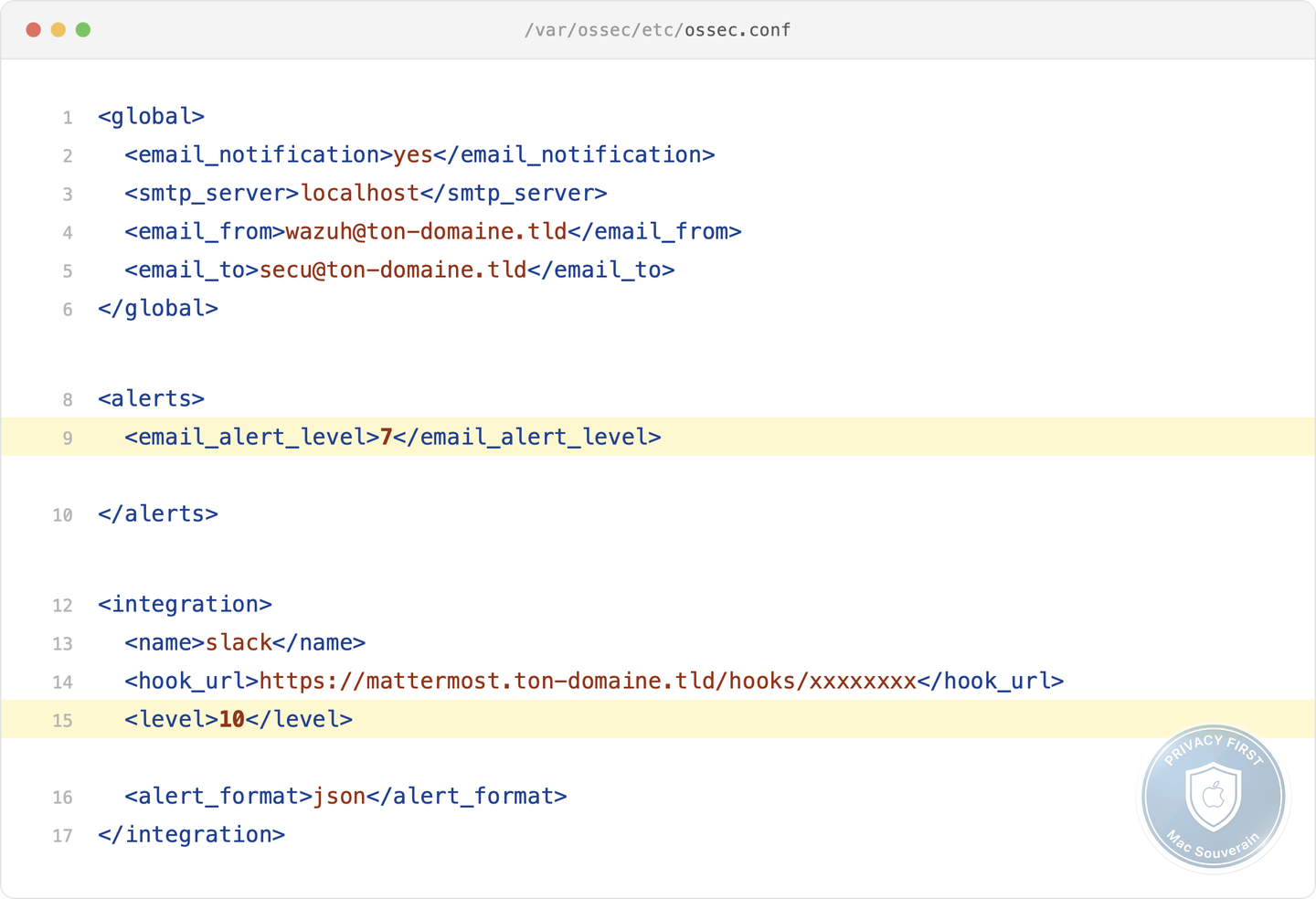
That leaves the real question, which level for which channel. Here are the markers I’d suggest, a usage recommendation and not a scale carved in stone by Wazuh, to adjust to your park:
- 0 to 3, informational noise. You log it, you notify nothing.
- 4 to 6, low. It lives in the dashboard, not in your pocket.
- 7 to 9, medium. Grouped email, the team reads it during the day.
- 10 to 12, high. Failed logins in series, a file integrity breach, a binary blocked by Santa. Real-time chat plus email.
- 13 to 16, critical. Probable compromise, agent disabled. On-call, you wake someone up.
One <integration> block per channel, each with its threshold. The email digest at 7 for everyone, chat at 10 for the technical team, a custom script to SMS or ntfy at 12 for the manager. The boss doesn’t want to be dragged out of bed for a level 8, and the day you wake him for nothing, he turns the notifications off. That’s how you die.
Because the real risk of alerting isn’t missing one. It’s having too many. A brute-force attack with no deduplication is hundreds of alerts in a few minutes, and a team that learns to ignore them. Deduplication is set upstream, in the frequency and time window of your rules, never at notification time. A SIEM that cries all the time is a SIEM nobody listens to anymore. Alert fatigue is worse than no alerting at all, because it gives you the illusion of being covered.
What the stack actually cost you
The moment of reckoning, cost shown and cost hidden, because selling you “free” would be lying to you.
The visible line is the VPS. Wazuh in single-node mode, manager, indexer and dashboard on one machine, runs comfortably for a 25-to-50-seat SME on 8 vCPU, 16 GB of RAM and 100 GB of disk for three months of retention. At a European host beyond American reach, that rents for between 300 and 1,700 euros a year depending on whether you go for the German budget tier or the high-end French sovereign one. A single line on the invoice, for the whole stack.
The licence line, next. Wazuh, the agents, CrowdSec, Rspamd, Santa, the alerting. Zero. Not a cent, not an enterprise tier, not a per-seat quota. Open source end to end.
And then the line no price sheet shows you, time. Installing the stack, several cumulative days for someone starting out, less for a seasoned sysadmin. Then maintenance, updates, watching the disk, and above all the rule tuning that eats most of the first few weeks. I won’t hand you a figure of hours per month, it would be made up, and none of the ones you’ll read elsewhere rests on anything better than a wet finger in the wind. Count it in person-days, set your rate, do your own sum.
There’s the nuance that holds the whole episode together. Sovereign isn’t free, sovereign shifts the spending from the licence to in-house skill. You no longer pay rent to a vendor, you pay an investment that stays in your own house. The VPS counts in hundreds of euros, time is the dominant line, and the two together stay very far below what the rented equivalent would have cost you.
Episode by episode, the same stack in SaaS
Let’s take the stack brick by brick, and put opposite each one what the market charges for the same function. Assumptions on the table, because without them a figure means nothing, an SME of around forty seats, twenty of them Macs, about five gigabytes of logs a day.
Wazuh replaces a Microsoft Sentinel or a Splunk ES. Count on 7,800 dollars a year for five gigabytes of daily logs on the Sentinel side, from 8,000 to 12,500 dollars on the Splunk side. CrowdSec plays the role of a managed threat intelligence offering, which starts at 1,900 dollars a month at the Platinum tier, close to 23,000 dollars for the year. Rspamd does the work of a Proofpoint or a Mimecast, 1,200 to 8,640 dollars for forty mailboxes. Santa stands in for a Jamf Protect, around 1,440 dollars for twenty Macs. Opposite every line, the same figure, zero in licences.
Add up that right-hand column. Depending on the options kept and without even counting managed EDR or high-end network filtering, the full SaaS equivalent for an SME this size sits between 12,000 and 40,000 dollars a year. Against it, your sovereign stack, between 300 and 1,700 euros in cash, plus your time. Even comparing the worst of the sovereign stack to the best SaaS price, the ratio is on the order of six to thirty times. And the gap isn’t fixed, it widens. The SaaS licence, you pay it again every year for life, at every seat added, at every extra gigabyte ingested. The VPS stays stable, and the install time amortises once and for all.
Two points of honesty. First, the prices I gave you in the first article all hold, Sentinel around 4.30 dollars a gigabyte, CrowdStrike from 60 to 185 dollars a seat, Splunk from 8,000 to 12,500 dollars. Nothing came down. These vendors don’t publish a public rate card anyway, they hide their prices and push you toward volume commitments, which penalises the SME ingesting only a few gigabytes a day. Second, the zero in the sovereign column is a licence zero, not a zero full stop. The cost exists, pooled onto a single VPS line and spread across your time. But the bill on the other side counts by brick, by seat, and by year.
The pitfalls, so you don’t kid yourself
A well-built sovereign stack can age badly. Four points of vigilance, to face head-on.
- Retention swells the VPS silently. Three months by default, but the day you want six months or a year of hindsight for an investigation, the disk doubles or triples, and you move up a plan. The sovereign cost isn’t frozen, it grows with your retention and your agent count. Anticipate it at sizing time.
- The single node is a single point of failure. The whole stack on one VPS is also one single target. Your encrypted off-site backups, laid down back in the socle episode, aren’t optional. Multi-node exists, but it falls outside an SME’s scope.
- Hosts raise prices too. Sovereign doesn’t mean a price locked for life, some raised their rates in 2026. The difference comes down to one word, switching hosts is a VPS migration of a few days. It isn’t a licence contract holding you by the throat.
- Tuning is time-consuming at the start. The first weeks buckle under false positives, and that’s where the quality of everything else is decided. Botch this phase, and you fall right back into alert fatigue.
None of these pitfalls is a dealbreaker. They’re parameters you control, precisely because the stack is your own.
Compliance, the brick that makes the deadline tenable
We opened the series on an obligation, GDPR and NIS2 require you to notify fast. Seventy-two hours to characterise a breach on the GDPR side, a triptych of 24 hours, 72 hours and 30 days on the NIS2 side.
Alerting is the brick that makes that deadline tenable. Collecting and detecting is producing the evidence. Alerting is a human seeing it in time to act. Without calibrated notification, the triptych stays a wish, the stack knows something happened and nobody knows in time. With it, the 72-hour clock starts at detection, not on Monday morning when someone reopens the dashboard. That’s the difference between compliance on paper and compliance that holds up in front of the regulator.
In short, you depend on no one
Step back and look at what you’ve built. Seven episodes, one VPS, open-source bricks, and a setup that sees, blocks, filters, controls and, as of today, warns at the right level without harassing you. What large companies pay a fortune for, you built for the price of a VPS and a few weekends.
But the real gain isn’t on the invoice. It comes down to one sentence, you depend on no one. Three independences.
Legal. Your security logs, the most sensitive material in your information system, live on your European VPS, out of reach of the CLOUD Act. In June 2025, before a French Senate committee of inquiry, Anton Carniaux, director of public and legal affairs at Microsoft France, questioned under oath on his ability to guarantee that a French citizen’s data would never be handed to American authorities, answered, “No, I cannot guarantee that.” With a provider subject to American law, that’s the level of guarantee you’re accepting. None.
Economic. No licence rent, no price shock decided without you. Remember VMware’s customers after the Broadcom buyout, perpetual licences scrapped, subscription forced. AT&T went as far as suing Broadcom, alleging a renewal price hike of more than 1,000 percent. Pay or migrate the hard way, with no say in it. Nobody can do that to your stack.
Operational. Nobody cuts off your access, deprecates a feature you rely on, or imposes a migration schedule on you. You own your stack, your logs, your detection.
The price of those three freedoms is a VPS and skill that stays in your own house. Compare it one last time to a SaaS bill that comes back every year without buying you a single one of them.
That’s where the series ends. Not on a product, on a stance. Sovereignty isn’t a slogan, it’s a sum you’ve just done, and it tips one way only.
What’s next, because you asked for it. A reader wrote to us after this series to ask for a real deep dive into Wazuh, further than the all-in-one of episode 2. Message received, the sequel is here, Make Your SIEM Talk, reading the right logs, writing your own rules, correlating, then letting your SIEM act.
Technical terms? Check the glossary.